JEdi
Edit decks safely
Keyword inspector, catalogue, action wheel and manual right at the deck.

The engineering interface for OrAgL
Edit decks, monitor jobs, compare curves and animate mode shapes, all in one interface. Input, computation and results stay connected and traceable back to their origin.
For OrAgL · Built for HPC clusters, e.g. PBS · EN / DE
Five modules
Each module covers one step of everyday work with OrAgL. Together they replace file hunting, copy and paste, and switching between editor, terminal and plotting tool.
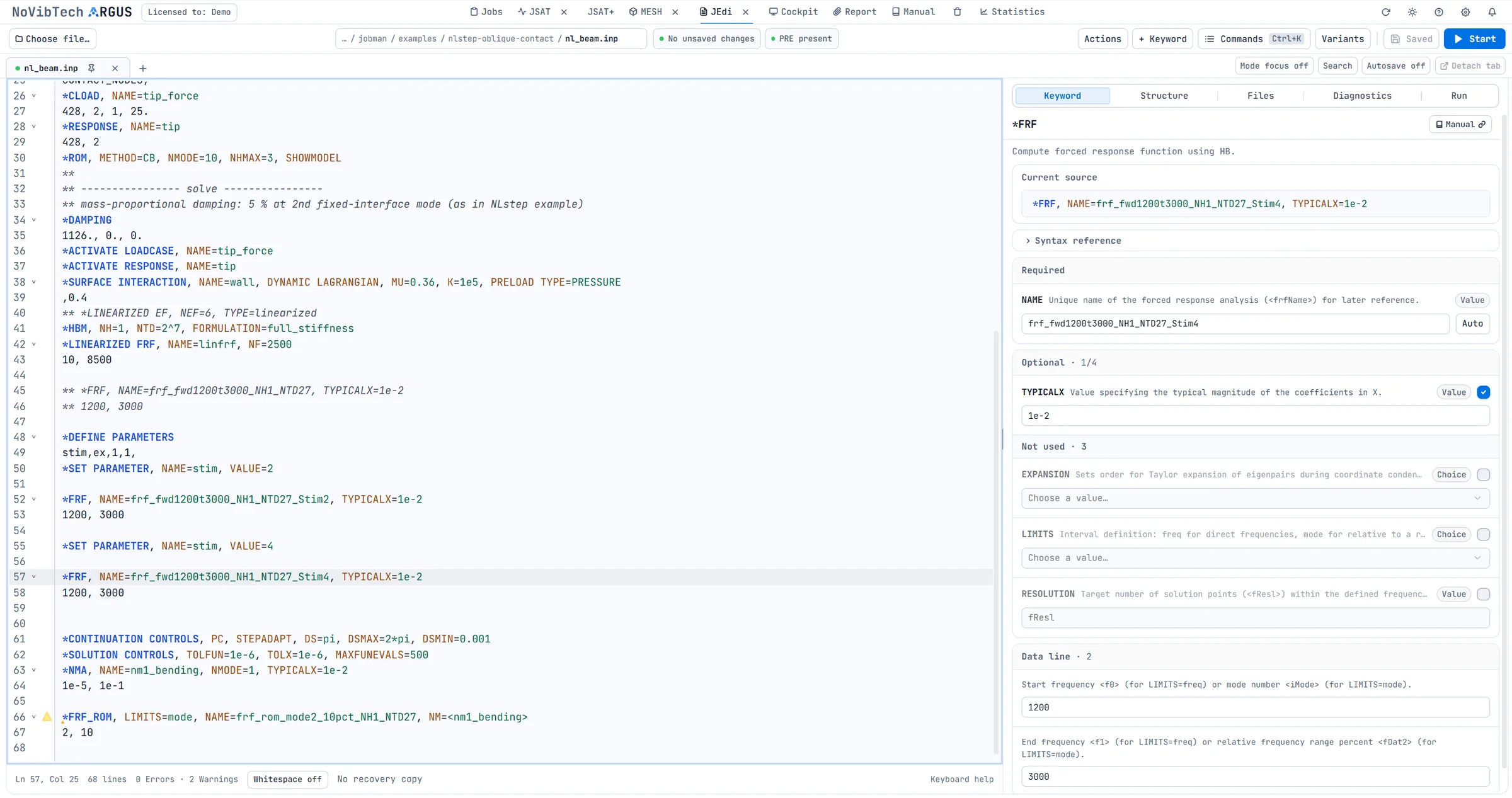
Edit decks safely
Keyword inspector, catalogue, action wheel and manual right at the deck.
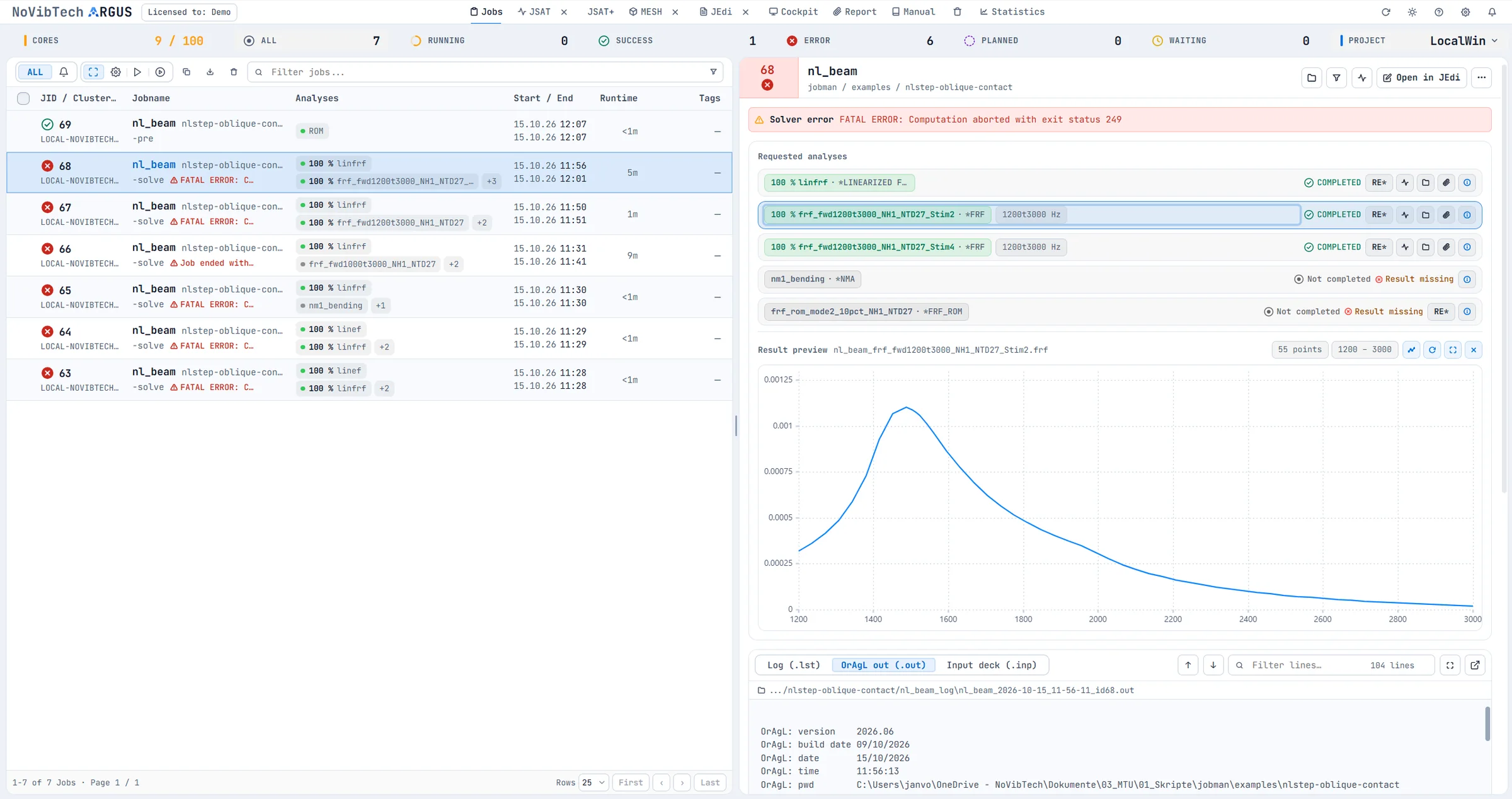
Traceable computation
Status, logs, resources and projects. Notifications for running jobs.
Follow results as they compute
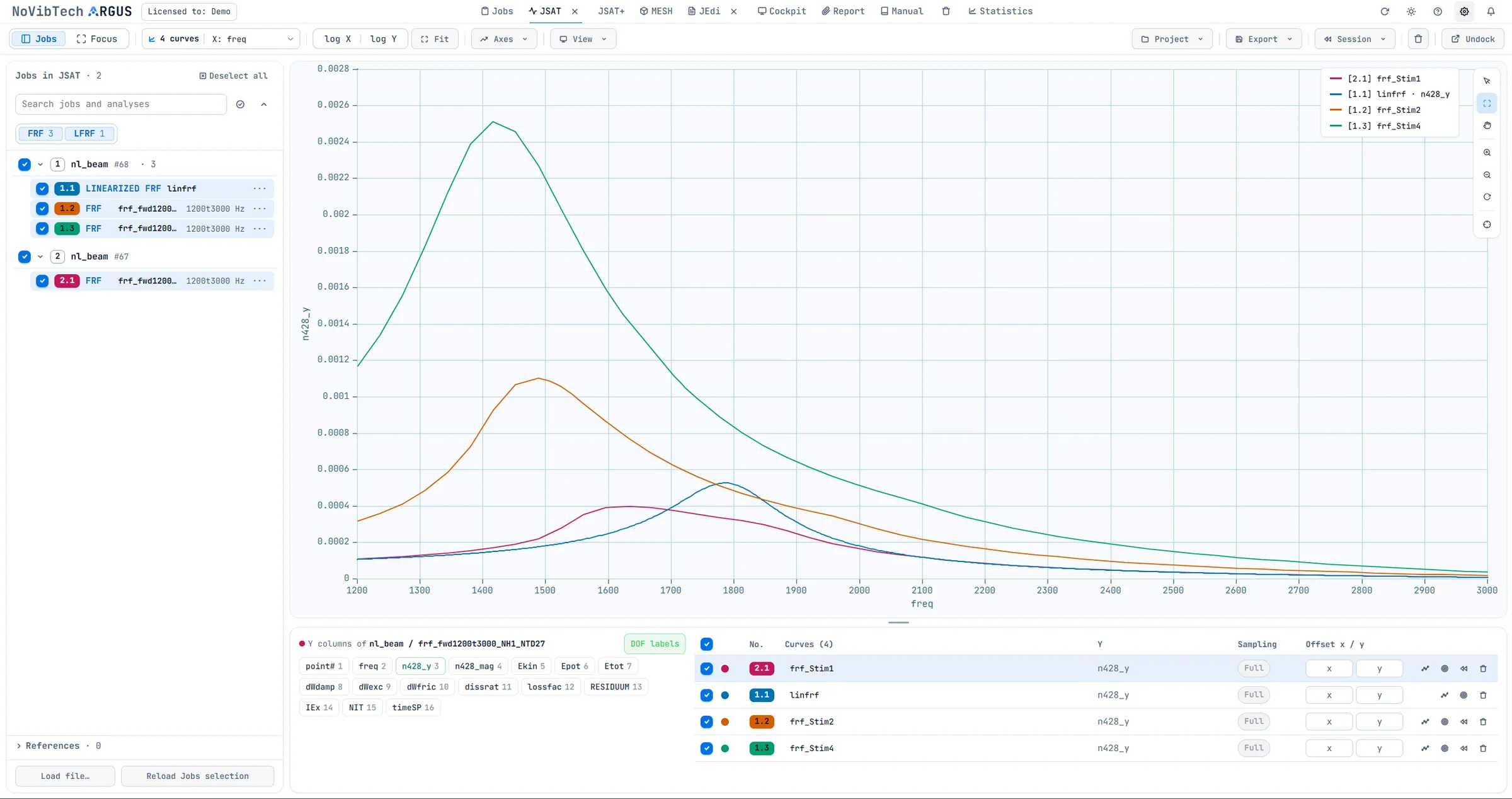
Live curves, comparison of several runs, offsets and DOF labels.
Reuse a stored state
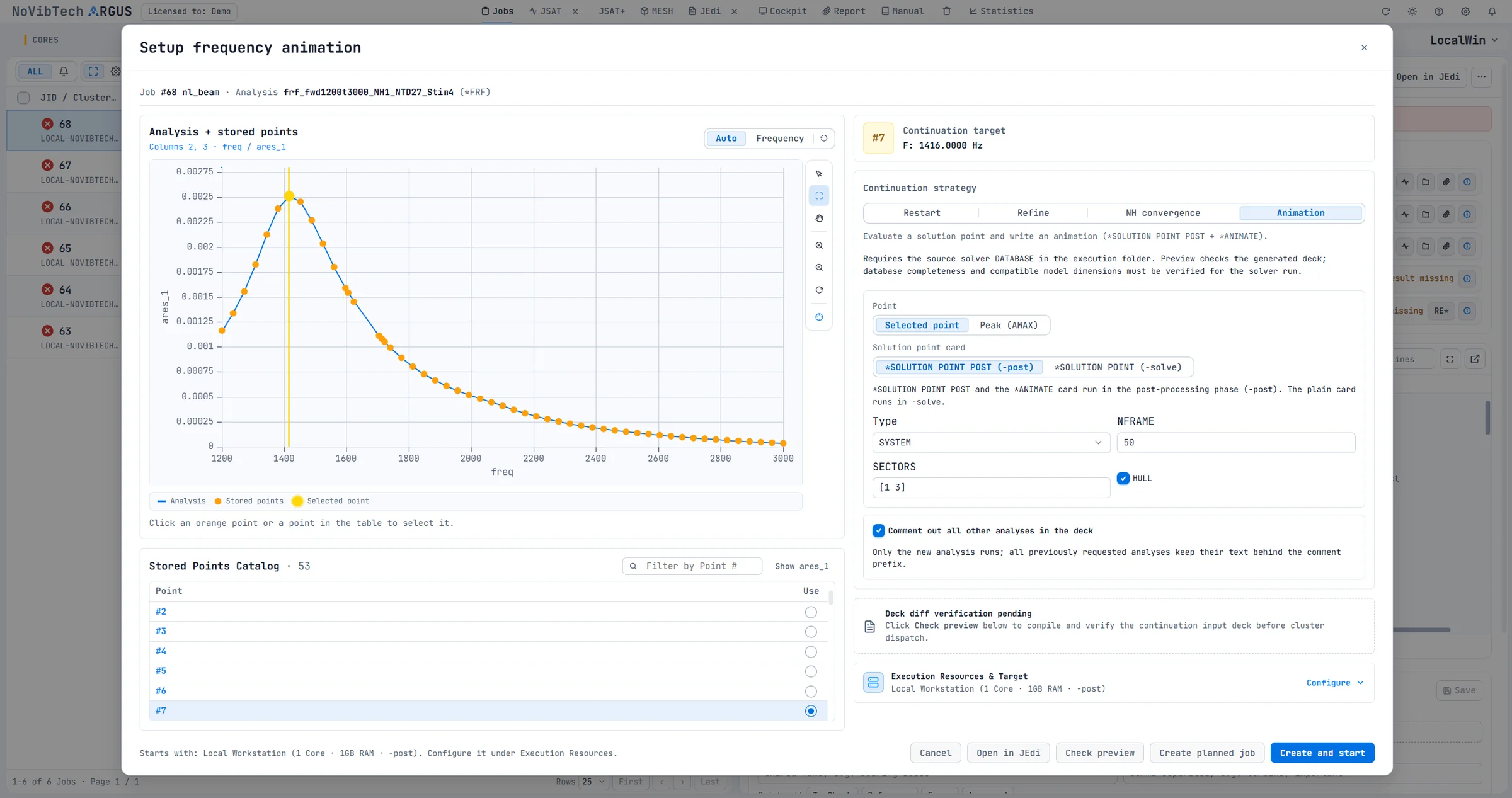
Point selection, diff preview and an animation attached in one go.
The motion behind the curve
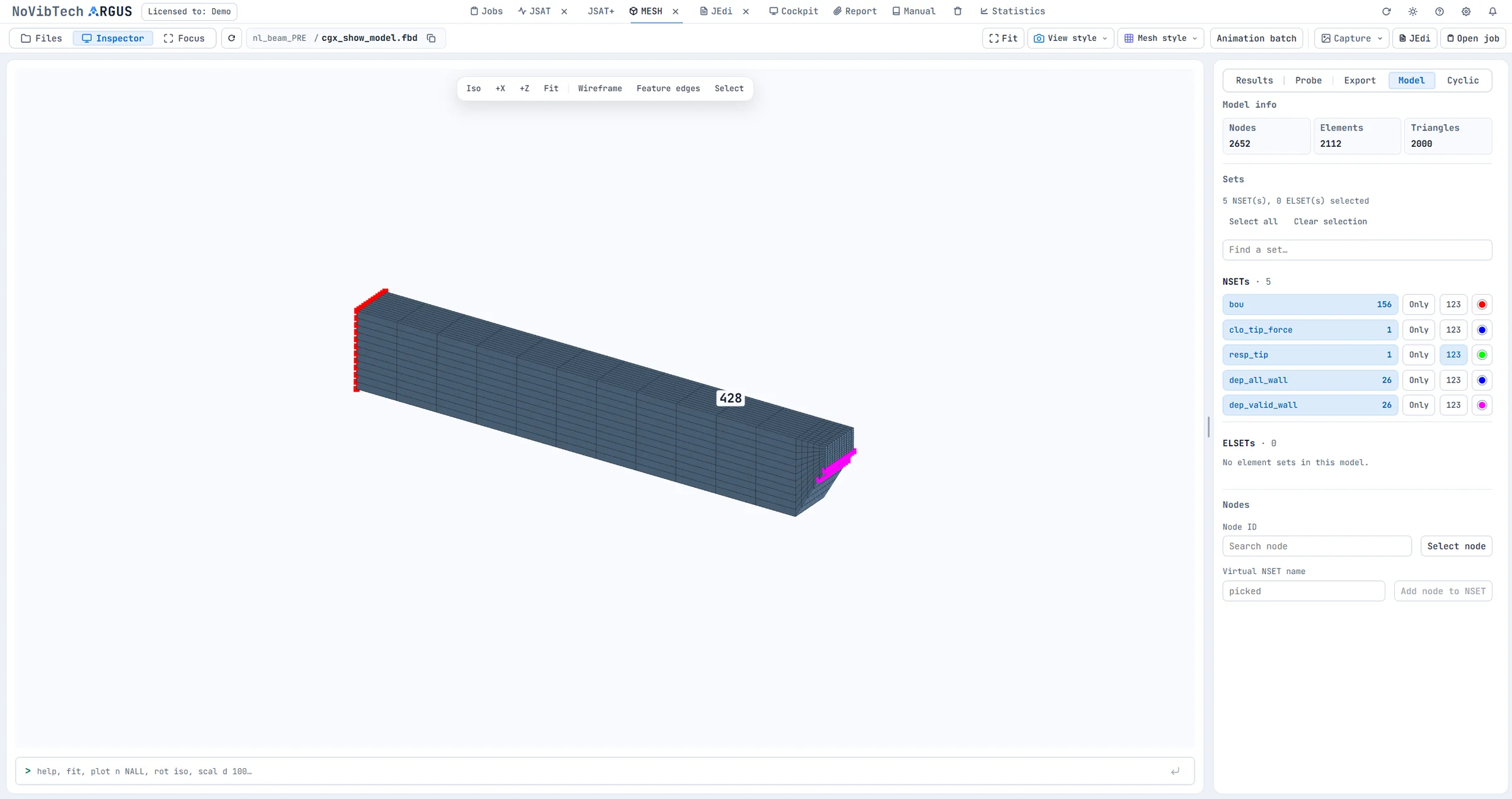
Node sets, sectors, colour maps, playback and export.
The application in detail
From the first keyword to the final animation: explore the workflow through actual views from the ARGUS product preview. Every capture can be enlarged.
 Enlarge ↗
 Enlarge ↗
 Enlarge ↗
Enlarge ↗
Enlarge ↗
 Enlarge ↗
The views show a demonstration data set from the product preview. We discuss the current feature set and the right configuration for you in the demo.
Built for everyday analysis work
Status, logs and results right at the job. Results open from the run that produced them.
Keyword help and diagnostics as you type, PRE status before launch, and overwrite protection.
Restart and refine straight from a curve point. Frequency and state come from the data set.
Revisions and follow-up runs stay linked to input deck, job and result.
Fits your environment
ARGUS is built for working with OrAgL on HPC clusters. We work out which environment, modules and hand-offs suit your team based on your actual workflow. Requests from everyday analysis work feed directly into further development.
A guided live demo of deck editing, jobs, curves and the model view.
Review operating system, OrAgL version, file access and cluster integration (e.g. PBS) together.
A representative use case shows how the workflow performs in your team.
Good to know
A complete workflow: editing a deck, launching and monitoring runs, comparing results, preparing a follow-up run and animating mode shapes.
No. OrAgL is the numerical solver. ARGUS is the interface for working with inputs, runs and results.
ARGUS is designed for HPC clusters, and the product preview shows integration with PBS. We clarify the right configuration for your environment together beforehand.
Yes. Contact us for a demo and to plan an evaluation. Together we define the use case, environment and appropriate feature set.
Next step
In a live demo, we walk through the complete workflow and discuss what your team needs in day-to-day work with OrAgL.